
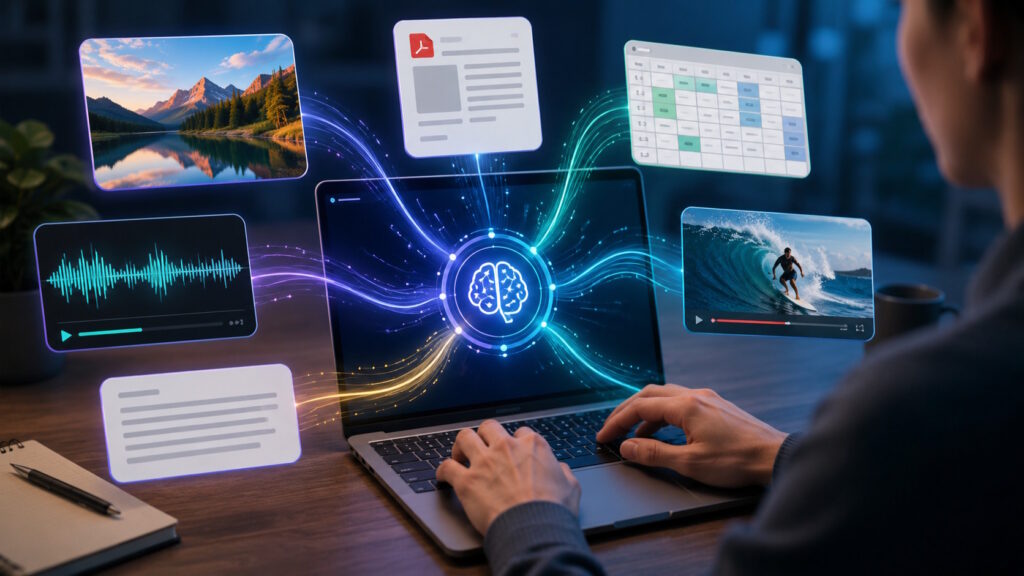
Key Takeaway: Prompt engineering is expanding beyond text as AI models work with images, screenshots, documents, spreadsheets, audio, video, and other inputs. Effective multimodal prompting means choosing the right material, giving clear instructions, and directing the model toward the details that matter most.
The Prompt Is Leaving the Text Box
Prompt engineering is moving beyond the text box as AI models work with more kinds of input. AI prompting once focused on choosing clear words and asking better questions. Now, prompt design can also involve images, screenshots, documents, spreadsheets, audio, video, and combinations of these materials.
This shift makes prompting feel less like composing a perfect command. It feels more like bringing the right materials into a conversation. You can show a dashboard instead of describing every chart. You can share a screenshot instead of reconstructing an error message from memory. You can provide a report, then ask about the section that matters.
The change is also appearing in workforce learning. Coursera ranks multimodal prompts first among its fastest-growing data skills for 2026. Prompt engineering also appears in the top five. That pairing points toward a broader skill set. People still need clear instructions, but they increasingly need to choose useful inputs as well.
What Is Multimodal Prompt Engineering?
Multimodal prompt engineering means guiding an AI model with more than one form of information. A modality is simply a type of input, such as text, images, audio, or video. Many current AI systems can process several input types together, although support varies by model and product.
Can an image be part of an AI prompt? Yes. A screenshot, PDF, spreadsheet, recording, or video may also become part of the request. The written instruction still guides the task, but it no longer carries the full burden.
The broader purpose has not changed. You are still helping an AI model understand what you need. The difference lies in what you can provide. Instead of translating every detail into prose, you can often share the original material.
Multimodal prompting therefore sits within the larger field of prompt engineering. It expands the prompt rather than replacing it. Text remains essential, especially when you need to explain the goal, audience, comparison, or desired response.
From Describing the Problem to Showing It
Think about how you would ask for help with a confusing dashboard. A text-only request might describe each metric, label, and recent change. That takes time, and important details may disappear during the explanation.
A multimodal request can start with the dashboard itself. You might ask, “What looks unusual in the conversion data between May and July?” The image supplies the visual evidence. Your words direct the model toward a specific part of it.
The same shift appears in many ordinary situations. A customer can share a screenshot of an error. A marketer can provide an advertisement for review. A researcher can upload a report and ask about one chart. A designer can compare a visual concept with written requirements.
This approach follows a familiar human habit: show, then explain. We often point to a screen, hand someone a document, or play a recording. Multimodal AI brings more of that behavior into digital interaction.
Different Tasks Need Different Kinds of Input
A useful multimodal prompt begins with a practical question: What form of information best represents the task?
Images work well when appearance, layout, objects, or visual differences matter. Screenshots can help with software interfaces, dashboards, error messages, and website reviews. Documents can support questions about reports, policies, research, or long-form content.
Spreadsheets bring structure to numerical questions. You might ask about a change in sales, a surprising expense, or a pattern across regions. Audio can support meeting reviews, interview summaries, or analysis of spoken conversations. Video can help when movement, timing, or a sequence of actions matters.
Not every model accepts every format. Product limits also change over time. Still, the larger principle remains stable: the input should match the information you want the model to examine.
More attachments do not automatically create a better prompt. A crowded request can blur the task. Relevant material usually helps more than a large pile of loosely connected files.
Clear Direction Still Does the Heavy Lifting
Does multimodal prompting replace the need for clear instructions? No. An attachment gives the model material, but it does not define your goal.
“Analyze this image” leaves many possible directions open. The model might discuss colors, layout, objects, or overall meaning. A more focused request tells it where to look and what question to answer.
You could write, “Focus on the upper-right chart and compare the last two quarters.” You could also ask, “Does this landing page match the tone described in the attached brand guide?” Both requests connect the material to a defined purpose.
Specific references become even more helpful when several inputs appear together. You can label each item and explain its role. For example, one image may show the current design while another shows the preferred style.
Good direction does not require a long prompt. It requires a clear relationship between the material, the task, and the expected result. The most useful instruction often tells the model what deserves attention.
When Several Inputs Work Better Together
The real strength of multimodal prompting often appears when different inputs complement one another.
Imagine sharing a product screenshot and a page of customer comments. The screenshot shows the interface, while the comments reveal where users struggle. Together, they support a richer question about usability.
A sales manager could pair a presentation with notes from a customer call. The slides provide the offer, while the notes reveal the customer’s priorities. A researcher could combine a written report with the chart under discussion. An operations team could compare a process video with written instructions.
The goal is not to impress the model with volume. Each input should contribute something distinct. One item may show what happened. Another may explain what should have happened. Your instruction connects the two.
A useful conversational question might sound like this: “Compare what this guide recommends with what happens in the video.” That request feels natural, yet it gives the model a clear comparison.
Where Multimodal Prompt Engineering Shows Up at Work
Multimodal prompt engineering can fit into everyday work without becoming a major technical project. Its value often appears in small moments when words alone feel inefficient.
A marketing team might share an advertisement and ask whether the image supports the message. It could also compare several creative options against a campaign brief. The task remains familiar, but the model receives both visual and written information.
A customer support team might review a screenshot alongside the customer’s description. The screenshot can reveal buttons, warnings, or page states that the customer forgot to mention. The written description still adds useful background.
A data analyst might provide a spreadsheet and a chart, then ask why the two seem inconsistent. A sales professional might share a proposal and ask which sections address a buyer’s stated priorities. A researcher might provide several source documents and ask a narrow comparison question.
Operations teams can also bring visual material into the conversation. A photograph may show equipment, packaging, or a site condition. A short video may capture a sequence that is difficult to explain accurately in writing.
These examples share one idea. The user gives the model something closer to the original situation, then asks a focused question about it.
Multimodal AI Can Still Miss What You See
Multimodal AI can feel surprisingly capable, but it does not perceive information exactly as a person does. It may overlook small labels, misread a chart, confuse similar objects, or infer a connection without enough support.
A polished response can make those errors harder to notice. The answer may sound confident even when the model misunderstood the source material. Important conclusions still need human review.
You can reduce confusion by pointing to the relevant area, naming the item, and asking a precise question. Clear images and legible files also help. When accuracy carries real consequences, compare the response with the original material.
Privacy deserves attention as well. A file may contain customer details, internal financial data, personal information, or confidential plans. Check the service’s policies and your organization’s rules before sharing sensitive material.
The goal is not blind trust. Multimodal prompting gives you more expressive ways to communicate, while human judgment remains part of the process.
What This Shift Means for the Future of Prompting
Text prompts are not going away. Written language still explains intent, sets priorities, and frames the desired answer. Multimodal inputs add another layer by bringing the source material directly into the exchange.
The skill now includes more than asking, “What should I say?” It also invites two new questions. “What should I show?” and “What should the model focus on?”
Those questions make prompt engineering feel less like searching for a secret phrase. The work becomes closer to clear communication. You choose the material, explain the goal, and guide attention toward the relevant details.
As models support richer inputs, people may spend less time describing what already exists. They can spend more time defining the question they actually want answered.
Conclusion: Beyond the Text Box
Prompting began as a largely text-based exchange. Now, many AI systems can work with images, documents, structured data, audio, video, and mixed inputs. That expansion makes AI interaction more flexible and, in many cases, more natural.
The strongest multimodal prompts do not simply attach a file and hope for insight. They pair the right material with a clear question. They also direct attention toward the details that matter most.
For readers, the practical takeaway is simple. Better results may depend on what you provide, not only on what you type. Want to keep exploring how AI is evolving? Join the conversation at Tech Scope Connect through our live newscasts, expert discussions, and global technology summits.
Sources:
- Image Understanding | ai.google.dev
- Prompt Design Strategies | ai.google.dev
- Images and Vision | developers.openai.com
- Multimodal — Cookbook | developers.openai.com
- Job Skills Report 2026 — Future Job Skills & AI Insights | coursera.org