
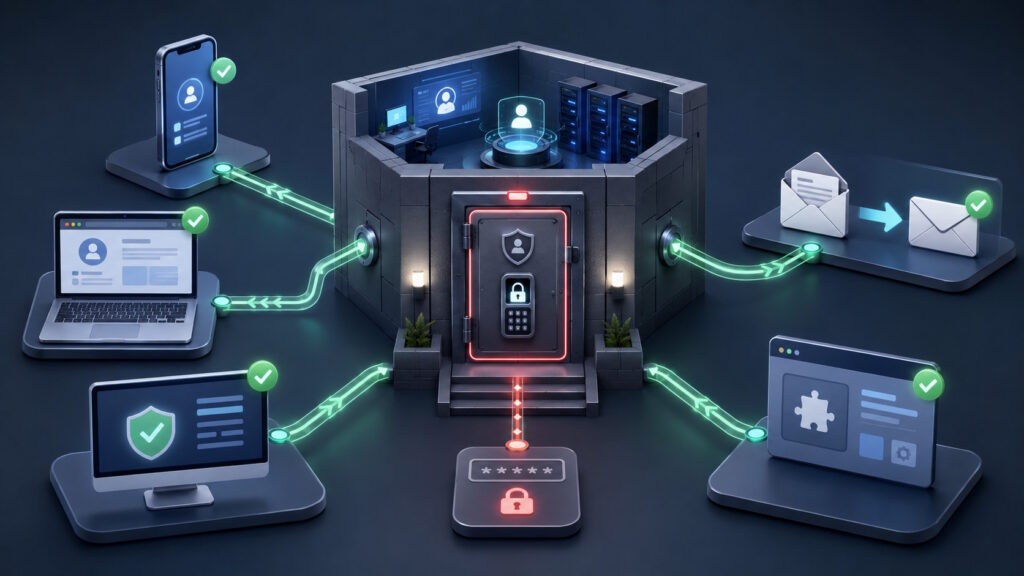
Quick Answer: A password reset can block the old password, but it may not fully resolve an account compromise. An attacker could still have an active session, a stolen authentication token, a connected application, or another recovery method. Complete recovery may also require signing out all sessions, reviewing account settings, removing unauthorized access, securing the affected device, and checking recent activity.
When the Reset Button Feels Like the Finish Line
Account compromise can turn a routine security alert into an uneasy question: is changing the password enough? You spot a login from another city, reset the password, and feel the problem has ended. A hacked account or account takeover, however, may involve more than the password itself. Active sessions, connected apps, recovery methods, and trusted devices can all keep access alive.
An attacker may already have a working session before you replace the password. Malware may also remain on the device and capture whatever you enter next. In other cases, the attacker may have changed account settings or added another recovery option.
A password reset still plays an important role. However, full recovery often requires a wider look at the account, the device, and recent activity.
What Does a Password Reset Fix After an Account Compromise?
A password reset replaces the secret you normally enter during login. This can stop an attacker who knows only the old password. However, logging in and staying logged in are different parts of the process. Many services create a session after you enter your password and complete any extra verification.
NIST explains that an authenticated session can rely on a session secret, such as a browser cookie. The browser presents that secret so the service knows the login already happened.
Some platforms end sessions automatically after a password change. Others provide separate controls for password resets, session revocation, and authentication-method changes. Microsoft, for example, treats these actions as distinct account recovery steps.
The safest assumption is simple. A new password protects future logins, but you should still check whether old access remains active.
Passwords Open the Door, but Sessions Keep It Open
Think of your password as a key to a building. After you enter, the building gives you a temporary access badge. A session cookie works in a similar way. It helps a website remember that you already signed in. Without it, you might need to enter your password on every page.
Authentication tokens serve a related purpose for apps and connected services. They can let an application access approved information without requesting your password each time. These tools make digital services easier to use. They also create another target for attackers.
If someone steals a valid session, they may not need to start a new login. They may try to reuse proof that the account already passed its checks.
How Can Account Compromise Survive a Password Change?
Stolen sessions are only one possibility. An attacker may also add a recovery email, register another authentication method, or connect an unfamiliar application. Email accounts deserve special attention. An attacker may create forwarding rules that quietly send incoming messages elsewhere. They may also hide security alerts or move messages into unexpected folders.
Microsoft advises organizations to review active sessions, MFA methods, app access, forwarding rules, and other account changes. It also notes that some app passwords require separate removal. This wider view helps explain why a password reset may feel successful while suspicious activity continues.
MFA Still Matters, but Timing Changes the Picture
Multi-factor authentication adds another check during login. It can stop many attacks that begin with a stolen password. However, a stolen session can appear after the legitimate user completes MFA. The attacker may then try to reuse the authenticated session instead of starting again.
This does not make MFA useless. It still blocks many unauthorized login attempts and adds valuable protection. The distinction lies in timing. MFA protects the login event, while session security protects what happens afterward.
Services can reduce this risk through session expiration, device checks, risk monitoring, and reauthentication. Users should still enable MFA whenever a trusted service offers it.
The Device May Still Be Part of the Problem
Sometimes the account is not the only thing that needs attention. The device itself may contain information-stealing malware. This malware can collect passwords, session cookies, browser data, backup codes, secret keys, and saved form information. It may also collect files or details from other accounts on the same device.
Changing a password on an infected device can create a frustrating cycle. The malware may capture the new password or the new session that follows. Official recovery guidance recommends using a device you know is free from malware when malware may have caused the incident.
One infection can also expose more than the first account that shows suspicious activity. Personal email, work services, cloud storage, and social accounts may all need review.
Recovery Means Checking the Whole Account
A stronger response begins with the password, but it does not end there. The goal is to remove existing access and close any new routes the attacker created.
End sessions you do not recognize
Many account settings include a page for active devices or recent sessions. Signing out unfamiliar devices can force those sessions to authenticate again. Some business platforms also let administrators revoke tokens or suspend the account. These controls can help stop access while the organization investigates.
Review the ways back in
Recovery details can reveal whether someone changed the account. Check the recovery email, phone number, trusted devices, MFA methods, and connected apps. Email users should also review forwarding rules and automatic replies. Cybersecurity guidance warns that attackers may add recovery methods or forwarding rules to regain access later.
Look beyond one password
An information stealer may collect several credentials from one browser or device. Reused passwords can spread the risk across multiple services. Other exposed items may include backup codes, VPN details, API keys, and app passwords. Businesses may need to rotate those credentials through their normal incident-response process.
The Clues an Attacker May Have Left Behind
Continuing access does not always produce an obvious warning. Small account changes can provide the first clue. You might notice unfamiliar devices, unexpected MFA prompts, new recovery details, or applications you never approved. Email accounts may show strange forwarding rules, missing messages, or mail you did not send.
Repeated lockouts can also suggest that someone keeps trying to regain access. Financial accounts may show unauthorized purchases or profile changes. No single sign proves that an attacker remains inside the account. Several unexplained changes, however, deserve a closer review.
A Better Way to Think About Account Recovery
The phrase “change your password” sounds like a complete solution. In reality, it describes one useful action within a broader recovery process. A modern account includes the password, active sessions, recovery methods, connected apps, and the devices that access it. Successful recovery considers each part.
You do not need to become an identity-security expert. Start with the provider’s official recovery guidance and involve your IT team for business accounts. After recovery, unique passwords and MFA can reduce future risk. Regular reviews of connected apps, devices, and recovery settings can reveal unwanted access earlier.
Conclusion: The Password Reset Is the First Move
A password reset remains one of the first steps after suspicious account activity. It can block the old password and prevent many future login attempts. Still, it cannot undo everything an attacker may have done. It may not remove malware, cancel every session, or reverse changes made inside the account. The more useful question is not only, “Did I change the password?” It is also, “Did I remove every access path I can find?”
Want to better understand account compromise and the changing risks around digital identity? Join Tech Scope Connect for practical insights and expert conversations on today’s evolving cyber threats.
Sources:
- Session Management | pages.nist.gov
- Manage Authentication Methods for Microsoft Entra Multifactor Authentication | learn.microsoft.com
- Revoke User Access in an Emergency in Microsoft Entra ID | learn.microsoft.com
- Respond to a Compromised Email Account in Microsoft 365 | learn.microsoft.com
- Authentication Assurance Levels | pages.nist.gov
- Report and Recover From Account Compromise | cyber.gov.au
- Report and Recover From Malware | cyber.gov.au
- Recovering a Compromised Email Account | cyber.gov.au
- Recovering a Compromised Online Account | cyber.gov.au