Key Takeaway: AI video generation is moving beyond creating impressive standalone clips toward giving creators more control over how footage fits into real projects. Reference frames, timing controls, scene extensions, and targeted revisions can help creators shape specific shots while maintaining continuity. These tools still require careful review, since greater control does not guarantee perfect or consistent results.
Two Good Shots, One Missing Connection
AI video generation becomes more useful when creators can shape footage around a specific project. Generative video tools offer visual references and revision controls, bringing creation closer to the editing process.
Suppose you’re editing a fictional promotion with two shots your team already loves. In one, a character enters a workshop; in the next, she sits at a workbench. You need a brief connection without changing her jacket, the room, or the lighting.
An attractive clip of another workshop won’t solve the problem. You need footage that belongs between those particular shots.
Why a Beautiful Clip Can Still Miss the Brief
The difference resembles hiring a photographer for an advertisement. A beautiful photograph still misses the brief when the product faces the wrong direction or leaves no room for text.
Video adds movement and timing to that challenge. A generated scene might look convincing yet interrupt the story you’re trying to tell. AI video generation needs more than visual polish to become useful within an established edit.
Recent tools show how developers are addressing that problem. Google’s August 2026 Gemini Omni 1.1 Flash update added scene extension and controls for starting and ending frames. Adobe also demonstrates generating missing footage directly within a Premiere editing timeline.
What Does Control Mean in AI Video Generation?
When you ask, “Can AI make this particular shot?” you’re asking about several kinds of control. Some concern what happens inside the clip; others concern how it connects to everything around it.
Giving AI video generation a starting point—and a destination
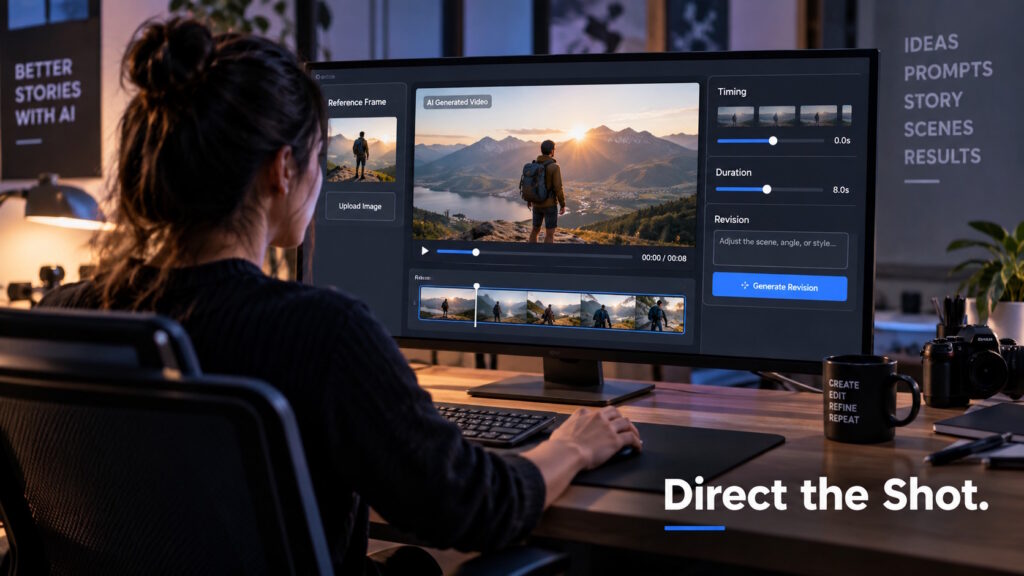
Starting and ending frames are images that define the visual boundaries of a generated shot. The model then attempts to create the movement between them. Google documents this capability for Gemini Omni 1.1 Flash.
For our workshop scene, those boundaries could show the character arriving and settling beside the bench. They guide the connection without specifying every movement along the way.
Keeping the jacket, room, and mood
Continuity means that important visual details stay consistent across shots. You wouldn’t want a blue jacket turning green halfway through the scene.
Reference frames give the model visual examples to follow. In Adobe’s Premiere beta, editors can draw reference frames from existing footage to guide appearance and continuity. The available settings depend on the selected AI model.
Finding room for one more second
“Can I make this shot last long enough for the narration?” is a practical production question. Generating a new connecting shot differs from extending a shot you already have.
Google Vids supports scene extension and duration selection with Gemini Omni 1.1 Flash. Those controls let creators request footage that better fits their planned timing.
Still, duration alone doesn’t determine pacing. A five-second clip can feel rushed if the action needs more room to breathe.
Changing the light, not the whole scene
A revision might sound simple: “Can we make the lighting warmer without changing the character?”
Google’s Gemini Omni documentation describes follow-up edits that build on a previous video. Creators can request lighting adjustments without describing the entire scene again.
The useful distinction is between what may change and what must remain recognizable. An editor needs to check both, rather than approve the result based only on the requested change.
A Draft Is an Invitation to Look Again
The first result doesn’t have to be the final choice. Google Flow supports lower-resolution drafts for testing ideas, followed by higher-resolution output.
The more revealing test happens inside the edit. Does the new shot sit comfortably between its neighbors? Does the movement fit the narration, or draw attention away from it?
Adobe’s workflow includes reviewing generated footage in the timeline, then adjusting the prompt, settings, or references before generating again.
Higher resolution can’t rescue a shot that tells the wrong story. A useful production asset needs to work within the complete video, not just impress on its own.
The Missing Piece May Be the Useful One
Consider a hypothetical event promotion. A team could explore an invented technology scene to connect speaker introductions with the event’s central theme. That imagery should read as illustration, not as proof that a crowd or demonstration actually appeared at the event.
For a product explainer, a generated visual might illustrate data moving between devices. The team could pair that concept with approved product footage, rather than rely on AI to reproduce every physical detail.
Fictional storytelling presents another possibility: adding a connecting moment between scenes while aiming to preserve the character and setting. Across these examples, AI video generation would support an existing production rather than replace the whole thing.
More Control, Not a Guarantee
Google’s published Gemini Omni Flash model card identifies consistency during edits, complex motion, and accurate text as known challenges.
For your project, those limits suggest checking more than the overall appearance. A small product detail, an unreadable label, or an awkward movement could make otherwise attractive footage unsuitable.
Reference images and defined endpoints don’t establish perfect product accuracy or remove the need for conventional editing. Neither do they prove that an editor can avoid every reshoot.
The sensible question is whether this particular result meets the brief—not whether the tool can generate video at all.
Conclusion: The Goal Is the Right Shot
Back in the workshop scene, success would mean the viewer follows the character naturally from one shot to the next. The generated footage earns its place by connecting the story, not by calling attention to itself.
That provides a useful way to judge these tools: how well can you direct, revise, and integrate what they produce? Sometimes the valuable result is simply the small piece your project was missing.
Curious about how AI is changing creative work and digital media? Join the conversation at Tech Scope Connect, where we explore emerging technologies through industry insights, newscasts, and global summits.
Sources:
- Build with Gemini Omni 1.1 Flash | blog.google
- Generate and Edit Videos With Gemini Omni Flash | ai.google.dev
- Generate Video and Audio in Premiere | helpx.adobe.com
- Generate a Shot That Matches the Footage You Have | adobe.com
- Make Free HD Videos With Gemini in Google Vids | blog.google
- Google Flow Brings New Creative Control Features to Enhance Video Editing | blog.google
- Gemini Omni Flash | deepmind.google