Key Takeaway: Digital keys can make building access more convenient, but putting a credential on a phone does not guarantee compatibility. The phone, credential, reader, and access system still need to work together. Standards such as Aliro aim to create a more consistent experience while keeping each organization in control of who can enter.
One Phone, Three Different Routines
Digital keys can replace physical badges, but putting one on your phone does not guarantee seamless access. Mobile credentials offer another way to enter buildings without reaching for a separate card. However, the systems behind those entrances still need to work together.
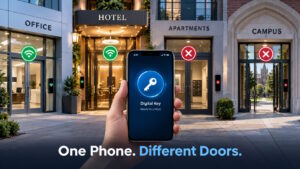
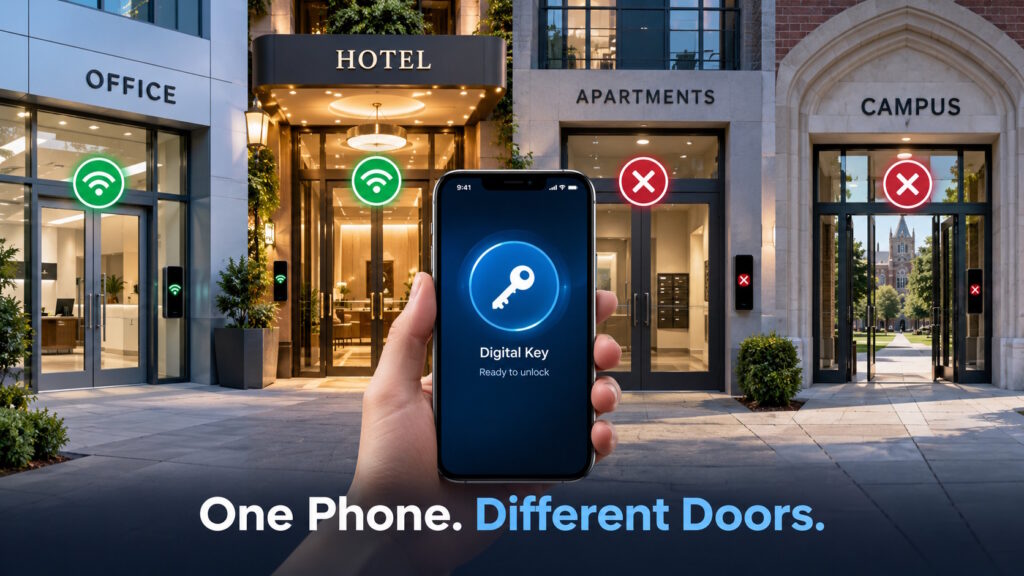
Imagine a business trip where your apartment uses one app, your office requires a badge, and your hotel offers another app. You carry the same phone all day, yet each building expects a different routine.
Moving those keys onto a phone seems like the obvious fix. But why does a digital pass work at one reader and fail at another? The answer starts with the difference between carrying a credential and making an access system understand it.
What Are Digital Keys, Exactly?
For building access, digital keys are electronic credentials that a phone or wearable presents to an access system. The reader is the device at the entrance that communicates with your phone. The access system checks the credential before deciding whether to let you in.
A door-control app is not the same thing as the credential. The app is software you interact with; the credential provides proof for the access system to validate. An app may help issue or carry that credential, so the two can work together.
Google’s corporate-badge setup, for example, lets users add a badge through a provider’s app or website. That enrollment process differs from the everyday act of presenting your device at the door. Moving access into a wallet does not eliminate every setup step behind it.
Why the Reader Does Not Recognize Your Phone
Two devices can share a wireless technology without understanding the same credential. Google Wallet’s corporate-badge documentation says readers need more than near-field communication, or NFC. They must also support the provider’s credential protocol—the rules governing that exchange.
Two people can connect by telephone yet struggle to communicate without a shared language. Likewise, the wireless connection provides a channel, not automatic understanding.
Compatibility also differs from permission. An access system may understand a credential and still deny entry because that credential lacks the required authorization.
Suppose your employee badge opens the lobby but not a research lab. The second door may be enforcing its rules, not failing to recognize your phone. Better compatibility should make authorized access easier without removing those boundaries.
What Does Aliro Bring to the Door?
Aliro is a shared credential and communication standard for phones, wearables, and access readers. The Connectivity Standards Alliance released Aliro 1.0 on February 26, 2026, with participation from Apple, Google, and Samsung.
Its aim is to help compatible devices and readers work together, even when different manufacturers build them. For users, the potential benefit is less concern about which company made the reader. For building teams, it offers a common starting point for connecting products from different suppliers.
Certified hardware already exists. The alliance lists Kastle’s EverPresence KR100 as an Aliro 1.0–certified reader. That provides a concrete example beyond the specification announcement, although it does not establish compatibility at every building.
Aliro’s promise is therefore more specific than “your phone becomes a universal key.” It aims to make the interaction at a compatible entrance more consistent.
A Tap and a Walk-Up Are Different Experiences
Will you need to hold your phone near the reader, or can it stay in your pocket? That depends on the entry method and supported equipment.
With NFC, you bring a phone or wearable close to the reader for tap-to-enter. Bluetooth Low Energy supports user-initiated access from farther away. Aliro also supports Bluetooth Low Energy combined with ultra-wideband, or UWB, for hands-free authentication.
UWB helps measure the distance between the device and reader. That information can support unlocking when you approach the entrance, rather than merely pass nearby.
On a rainy morning with full hands, that difference could feel substantial. However, a standard supporting hands-free entry does not mean every product includes it. The phone and reader still need the appropriate hardware and software.
The Door Opens, but the Management Work Continues
A convenient arrival still depends on enrollment, appropriate permissions, and help when someone’s usual device fails. Digital keys do not remove the need to organize those responsibilities.
Who gets in—and for how long?
Suppose a contractor needs the lobby and one floor for a two-day assignment. Someone must approve that visit, define the permitted areas, and arrange for access to end.
Those decisions belong to the organization and its access-management system, rather than the communication standard alone. Google’s corporate-badge architecture, for example, identifies separate systems that manage access cards throughout their life cycle.
The practical question goes beyond “Can we issue a mobile pass?” It also asks, “Can we remove access when someone no longer needs it?”
What happens when your phone goes missing?
A lost phone creates a different problem from an incompatible reader. Someone needs to help the user regain entry while addressing access through the missing device.
Google advises corporate-badge users to notify their employer when a device goes missing. Its guidance also covers finding, locking, or erasing the device and transferring a badge to a replacement.
A practical rollout also needs a backup for authorized people who cannot use their usual device. A temporary badge or staffed assistance could provide that route, depending on the building.
Can digital keys work without internet?
Some can, depending on the system. Aliro supports local phone-to-reader communication without a constant internet connection, including in places such as underground parking garages.
However, entering a building and managing access are different activities. Espressif explains that reader setup happens outside the local Aliro access transaction. Offline entry alone therefore cannot tell you how quickly a changed permission reaches every access point.
For a building operator, the follow-up question concerns how the system receives changes and when it enforces them.
What a Less Complicated Day Could Look Like
Aliro’s intended settings include offices, campuses, hotels, and residential buildings. Consider how a more consistent entry experience could feel in those places.
At work or on campus, you could move between authorized buildings with a familiar routine. A restricted laboratory would still require separate permission.
During a hotel stay, a mobile room credential could make arrival more convenient. The hotel would still manage check-in, room changes, and when that credential stops working.
Back home, a resident could enter the lobby and permitted shared spaces with their phone. Building management would remain responsible for move-ins, move-outs, and temporary access.
These are possibilities for compatible installations, not claims about every existing building. The appeal is spending less time figuring out the entrance while preserving each organization’s control over access.
A Shared Standard Still Has Limits
Will your existing lock work with Aliro? A standards announcement alone cannot answer that. The answer depends on the specific equipment and the manufacturer’s upgrade support.
Even certification relates to an identified implementation. The KR100 listing, for example, specifies hardware and firmware versions rather than declaring every Kastle product compatible.
A useful deployment question is, “Which phones, wallets, readers, and entry methods work together in this installation?” A company’s involvement in Aliro does not confirm support across its entire product range.
Feature scope also deserves attention. The alliance identifies secure key sharing as work for future phases, not a universal Aliro 1.0 feature. Issuing someone access and letting users share keys across platforms are different capabilities.
Aliro also has a different job from Matter. Aliro concerns using a phone or wearable at the door, while Matter covers broader connected-device control. The standards complement each other without inherently requiring each other.
Conclusion: A Better Arrival Takes More Than a Phone
Replacing a badge can lighten your pocket. Making access easier requires the credential, reader, device, and management system to work together. Aliro addresses the compatibility part of that challenge without replacing decisions about who may enter.
The goal is not a phone that opens every door. It is a familiar way to enter the places you have permission to use.
Curious about how connected technologies are changing everyday experiences? Join the conversation at Tech Scope Connect, where we explore emerging technology through industry insights, expert discussions, and live events.
Sources:
- Aliro: The Mobile Access Credential Standard | csa-iot.org
- Announcing Espressif’s Aliro SDK | developer.espressif.com
- Provision a New Card | developers.google.com
- Save Your Corporate Badge to Google Wallet | support.google.com
- Corporate Badge Overview | developers.google.com
- Introducing Aliro 1.0: A Unified Standard to Transform the Access Control Ecosystem | csa-iot.org
- EverPresence Wall Mount Reader (KR100) | csa-iot.org
- Samsung Research | research.samsung.com
- Aliro FAQ | csa-iot.org