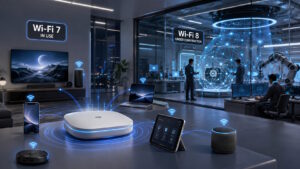

Key Takeaway: Artificial intelligence is moving beyond a cloud-only model and increasingly running directly on computers through the rise of AI PCs. Advances in on-device processing, dedicated AI hardware, and local AI capabilities are allowing more tasks to happen closer to the user, improving speed, privacy, and flexibility. Rather than replacing cloud AI, AI PCs are helping create a hybrid future where intelligence is distributed across both devices and data centers.
The Cloud Is Not the Whole Story Anymore
AI PCs are changing how people think about artificial intelligence, because more AI work can now happen directly on computers. For years, most AI felt tied to the cloud. You asked a question, uploaded a file, or requested an image, and a remote data center did the heavy lifting. Now, AI-enabled computers, on-device AI, and local AI processing are creating a new chapter.
This does not mean cloud AI is going away. The cloud still matters, especially for large models and heavy workloads. Yet the conversation is starting to shift. More companies now ask a simple question: Why send every AI task to the cloud when some of it can happen on the device?
That question opens the door to a larger trend. Artificial intelligence is not just becoming more powerful. It is becoming more distributed. Computers are no longer just screens connected to cloud services. They are starting to become active places where AI can run, assist, and respond.
For business leaders, this trend deserves attention. It could shape how teams buy hardware, use productivity tools, protect data, and manage AI costs.
From Cloud-First AI to Computer-Ready AI
The cloud helped artificial intelligence reach a massive audience. It gave developers access to powerful infrastructure. It also made AI tools easy to update and scale. That cloud-first model helped turn generative AI into a daily tool for work, research, writing, design, and analysis. But every major technology cycle brings a correction. Once a tool becomes common, people start asking where it works best. They also ask where it creates friction.
Cloud-based AI can feel magical, but it still depends on several things. You need a reliable connection. You often send data away from the device. You may wait for a response. At scale, you may also pay for repeated cloud usage. That does not make cloud AI bad. It simply means cloud AI may not be the best answer for every task.
Some AI jobs are small, frequent, and personal. They may involve a meeting transcript, a document draft, a photo adjustment, or a quick search across local files. Those moments create a natural opening for AI to move closer to the user.
The Limits of Sending Everything Away
The phrase “AI in the cloud” sounds clean, but real-world use can get messy. A worker may need help while traveling. A sales team may want AI support during a customer meeting. A designer may want quick creative edits without delays. A business may want to analyze sensitive files without sending every detail to an outside server. These examples are not futuristic. They reflect everyday concerns around speed, privacy, cost, and control.
When AI runs locally, some tasks can happen faster. The computer does not need to send every request across a network. Local processing can also help when internet access drops or slows down.
Privacy adds another layer. Many organizations want to use AI, but they worry about how data moves. If certain AI features can run on the device, teams may gain more control over sensitive information.
This shift does not remove the need for governance. It does create more options. Instead of treating the cloud as the only place for intelligence, businesses can think more carefully about where each AI task belongs.
What Makes AI PCs Different?
AI PCs are computers designed to handle AI workloads more efficiently on the device. The key difference is hardware. Traditional computers rely mainly on the CPU and GPU. Newer AI-focused computers also include an NPU, or neural processing unit.
An NPU helps handle AI-specific tasks more efficiently. Microsoft describes Copilot+ PCs as a class of Windows 11 computers with NPUs that perform more than 40 trillion operations per second. Microsoft also connects those chips to secure, on-device AI processing.
AMD gives a similar high-level view. It describes AI PCs as systems that use an NPU, CPU, and GPU to accelerate AI workloads directly on the device. AMD also points to local inference, privacy, and efficient performance as part of the value.
The takeaway is simple; AI PCs are not just regular computers with new branding. They are part of a hardware shift that makes local AI more practical.
The Everyday Computer Gets a New Job
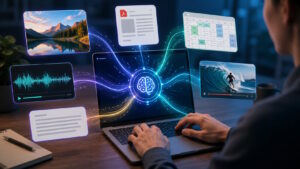
Most people do not care which chip handles a task. They care whether the experience feels useful. That is where this trend becomes interesting. A computer with more local AI capability could support common workflows in quieter ways. It might summarize notes, improve video calls, organize files, assist with writing, translate content, enhance images, or help search across information.
For businesses, the bigger story is productivity. AI may become less like a separate tool and more like a built-in layer across everyday work. Think about the difference between opening a separate AI app and having assistance inside the computer experience itself. One feels like a destination. The other feels like part of the workflow.
This is where AI PCs could gain traction. They may help artificial intelligence feel less like a special project and more like a normal part of using a computer.
Why Local AI Does Not Replace the Cloud
It would be easy to frame this as a battle between computers and data centers. That framing misses the point. The future will likely be hybrid. Smaller, faster, and more personal tasks may happen locally. Larger, more complex, and more collaborative workloads may still depend on the cloud.
A local AI feature might help clean up audio during a call. A cloud model might help analyze a massive dataset. A computer might summarize a local document. A cloud platform might support enterprise-wide analytics.
The practical question is not, “Which side wins?” A better question is, Which AI task should happen where? That question will become more important as AI spreads across business software. Teams will need to balance speed, cost, privacy, accuracy, and user experience.
AI PCs and the Hybrid AI Future
AI PCs fit into a broader shift toward hybrid AI. In this model, intelligence does not live in one place. It moves across devices, applications, and cloud platforms. This model feels more realistic than a cloud-only future. People work across offices, homes, airports, factories, and customer sites. They use different devices for different tasks. They also expect software to respond quickly. Hybrid AI supports that kind of world. It allows computers to handle some work locally while cloud systems handle larger workloads.
Microsoft’s business guidance notes that Copilot+ PCs include CPUs, GPUs, and advanced NPUs for AI-specific workloads. That combination shows how the computer itself is becoming part of the AI infrastructure.
AMD’s developer materials also point to AI models running directly on Windows devices with AMD Ryzen AI NPUs. The stated benefits include faster inference, enhanced privacy, and reduced latency.
This trend is not only about hardware; it is about how AI becomes easier to access in daily work.
What This Means for Businesses
Businesses should not treat this trend as a reason to rush into every new device category. A smarter approach starts with awareness. AI PCs may influence hardware refresh cycles. They may affect how companies evaluate laptops, desktops, and workstations. They may also shape how software vendors design AI features.
The shift could also change employee expectations. If workers grow used to AI assistance on their personal computers, they may expect similar support at work. That could create pressure for better tools, clearer policies, and stronger AI literacy.
There is also a marketing and strategy angle. Companies that understand this shift can explain AI in more practical terms. Instead of talking only about massive models and cloud platforms, they can talk about AI showing up where people already work.
That makes the topic more approachable. It moves AI from an abstract technology trend into a familiar daily context.
Conclusion: Computers Are Becoming Active Again
Artificial intelligence spent years moving deeper into the cloud. That shift made AI powerful, scalable, and widely available. Now, the next phase looks more balanced. Computers are starting to matter again as places where intelligence can run locally. This does not replace the cloud. It expands the AI landscape. The result may be a more flexible world where some AI workloads happen in data centers, others happen on devices, and users experience both as one connected system.
For businesses, the rise of AI PCs is worth watching because it points to a practical future for artificial intelligence. AI may become less about visiting a separate tool and more about working with smarter computers every day.
As AI continues to move beyond the cloud, it will be interesting to see how businesses, employees, and technology providers adapt to this more distributed approach to intelligence. If you enjoy exploring trends like these, follow Tech Scope Connect for ongoing conversations about AI, emerging technologies, and the innovations shaping the future of computing. Join today!
Sources: