
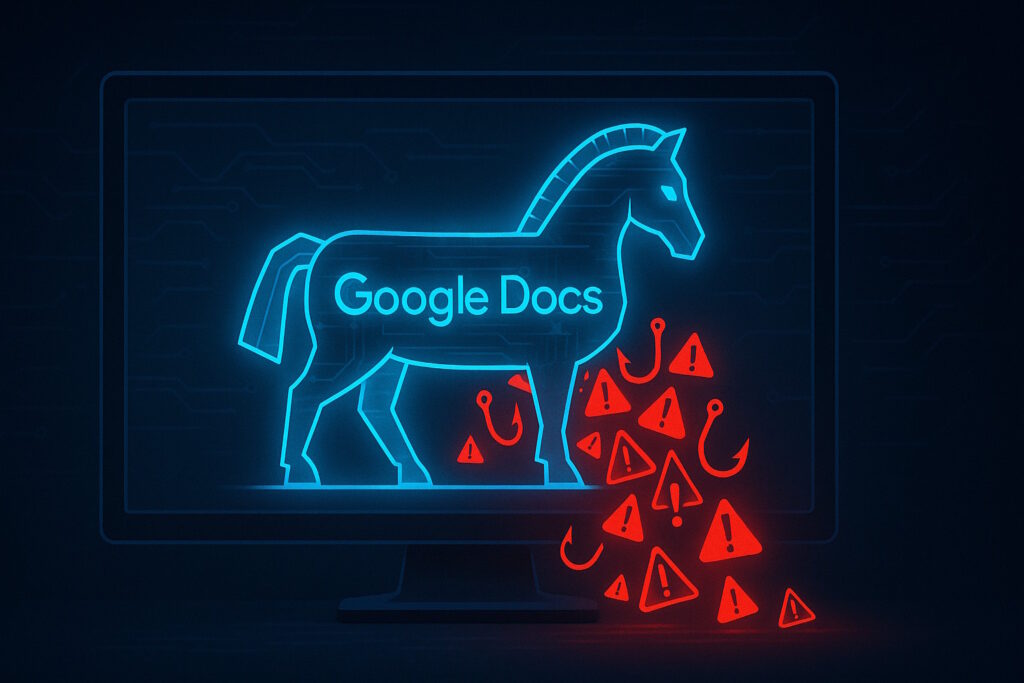
Key Takeaway: Phishing attacks increasingly hide behind trusted platforms—Google Docs/Drive, Microsoft SharePoint/OneDrive, Google Translate, and CAPTCHA—to trick users and bypass defenses. Using reputable domains and familiar interfaces boosts credibility and helps attackers slip past filters. Knowing how these services are abused is the first step to staying safe online.
Phishing attacks are getting sneakier—and they’re using tools you probably trust. Services like Google Docs and Drive, Microsoft SharePoint and OneDrive, Google Translate, and even CAPTCHA are being used in ways you might not expect. If you’ve ever clicked a link that seemed fine but turned out shady, you’re not alone. Cybercriminals are getting creative, and they’re now hiding behind platforms that seem perfectly legitimate. Microsoft and others have documented sustained abuse of mainstream cloud tools for identity phishing, while researchers have tracked renewed use of Google Translate links and fake CAPTCHA gates to evade scanners.
Wait, Isn’t That a Legit Site?
It’s easy to drop your guard when you see a service you know. That’s exactly what scammers are counting on. Phishing isn’t just about fake links anymore. Instead, attackers lean on platforms people already trust—cloud documents, collaboration invites, and translation or security overlays—to make bad links look good and to get past automated checks.
How Phishers Are Using Google Docs and Drive (and Why It Works)
Attackers increasingly use Google’s cloud tools as staging points. A common pattern is an email that looks like a document share or form submission. The link goes to a legitimate Google Docs, Drive, or Forms URL—often enough to pass initial reputation checks—before funneling you to a credential harvester or malware site. Recent coverage has highlighted the rise of Google Forms–based phishing, in some cases closely mimicking school or workplace portals. The trust afforded to docs.google.com and forms.gle means many filters—and users—don’t question the click.
SharePoint and OneDrive: Trust by Association
Microsoft reports a sustained increase in campaigns that abuse SharePoint and OneDrive links. Tactics include hosting “view-only” files that prompt users to a second-stage phishing page or using real platform notifications to make the lure feel routine. Because these services are core to daily business, their domains and email flows are widely allowed—giving attackers a powerful credibility boost.
GitHub and Other Developer Platforms as Delivery Channels
Developer ecosystems aren’t immune. Microsoft threat intelligence has detailed large-scale campaigns that ultimately deliver initial payloads from GitHub—leveraging the platform’s reputation and ubiquity to avoid simple domain-based blocking. The lesson is the same: a trusted host doesn’t make the content safe.
Classroom Invitations as Lures
Even education tools are in play. In August 2025, researchers at Check Point described a campaign that sent more than 115,000 phishing emails using Google Classroom invitations to reach 13,500 organizations in one week—bypassing email defenses by piggybacking on legitimate infrastructure.
Google Translate as a Cloaking Tool
A long-running tactic that persists into 2025 is abusing Google Translate’s URL wrapper. The phishing link appears to be hosted on a Google domain while rendering a malicious site within the translation frame, helping it evade both user suspicion and basic filters.
CAPTCHA Isn’t Always a Sign of Safety
We’ve been trained to equate CAPTCHA with security. Attackers now add CAPTCHAs (or convincing fakes) to their pages to look “legitimate” and to block automated scanners—letting humans through while delaying detection. Recent research notes a growing use of CAPTCHA gates, including fake interstitials mimicking well-known providers, and campaigns that weaponize CAPTCHA flows to push instructions or payloads.
Why Are These Tricks So Effective?
It comes down to trust and familiarity. Reputable domains and familiar workflows lower skepticism, and reputation-based filters often treat those domains more leniently. On mobile, truncated URLs and limited context make it even harder to spot a redirect. The net effect is higher click-through and better odds of evading basic controls.
What You Can Do About It
- Pause on platform trust. A Google, Microsoft, or GitHub link isn’t automatically safe. Verify the sender and the context, not just the domain.
- Preview before you proceed. On desktop, hover to inspect the final destination. If a “document” immediately hands off to a login page, treat it as suspicious.
- Avoid logging in through links. Navigate to the service directly (e.g., office.com, drive.google.com) and access the file from there.
- Use layered defenses. Modern email security, browser isolation, and endpoint protection can defang many of these handoffs, but none are perfect.
- Turn on MFA everywhere. Even if credentials leak, strong multi-factor authentication can block account takeover.
- Report and retrain. When you see a convincing fake, report it internally and use it as a quick teachable example.
Conclusion: Stay Skeptical, Even with “Safe” Tools
Phishing attacks aren’t always obvious anymore. Attackers increasingly blend into everyday workflows by abusing Google Docs/Drive, SharePoint/OneDrive, Google Translate, and CAPTCHA. The tools evolve, but the goal is unchanged: coax you into handing over something valuable. A little healthy skepticism—and a habit of verifying context before you click—goes a long way.
Want to stay on top of how mainstream tools are being bent to malicious ends? Join Tech Scope Connect for live discussions, expert insights, and timely breakdowns of the tactics we’re seeing now and what’s coming next.
Sources:
- File Hosting Services Misused for Identity Phishing | microsoft.com
- How Threat Actors Weaponize Google Translate for Phishing | abnormal.ai
- Phishing and Scams: How Fraudsters Are Deceiving Users in 2025 | securelist.com
- Scammers Will Try to Trick You Into Filling Out Google Forms. Don’t Fall for It | wired.com
- Malvertising Campaign Leads to Info Stealers Hosted on GitHub | microsoft.com
- Phishing Campaign Exploits Google Classroom at Scale | blog.checkpoint.com
- Fake Captcha Attacks Deploy Infostealers and Rats in a Multistage Payload Chain | trendmicro.com